
Blog
1998 Toyota Celica: Complete Guide to Specs, Features, Performance and Reliability


The 1998 Toyota Celica is a memorable example of Toyota’s approach to building an affordable, sporty compact car during the 1990s. Combining a distinctive coupe shape with a practical front-wheel-drive layout, four-cylinder power, and a relatively compact footprint, the Celica appealed to drivers who wanted something more exciting than an ordinary economy car without moving into a larger or significantly more expensive performance vehicle. The 1998 model belongs to the sixth-generation Celica era, a generation that had already established a recognizable identity through its rounded styling, low roofline, and sporty proportions. Depending on body style and configuration, period specifications varied, but commonly listed versions used a 2.2-liter four-cylinder engine producing around 130 to 135 horsepower and approximately 145 lb-ft of torque.
Today, the 1998 Toyota Celica attracts attention from several different groups, including classic Japanese-car enthusiasts, owners looking for an inexpensive project vehicle, collectors interested in 1990s Toyota models, and drivers who simply appreciate the character of older compact coupes. Because these cars are now decades old, condition can matter considerably more than the original specification sheet when evaluating one. A well-maintained example can provide an engaging and relatively simple ownership experience, while a neglected car may require substantial mechanical, electrical, suspension, or bodywork attention. This guide explores the 1998 Toyota Celica specs, engine, performance, interior, fuel economy, practicality, reliability considerations, and used-car buying points to give readers a comprehensive understanding of this distinctive Toyota.
1998 Toyota Celica Overview
The 1998 Toyota Celica sits within the sixth generation of the Celica, which Toyota introduced during the 1990s as a sporty compact model. Its design represented a significant departure from some of the sharper-edged styling associated with earlier Celicas, instead using smoother curves and a rounded body profile. The result was a car that looked unmistakably like a product of its decade while still maintaining the low-slung proportions expected from a sporty coupe. Buyers could encounter different body styles and equipment levels, including coupe, hatchback, and convertible configurations depending on market and specification. This variation is important when researching a particular 1998 Celica because dimensions, cargo capacity, equipment, and weight can differ between versions.
One of the defining characteristics of the 1998 Toyota Celica was its front-wheel-drive configuration. Rather than using a rear-wheel-drive sports-car layout, the Celica placed its engine transversely and sent power to the front wheels. This arrangement helped make the car practical and predictable for everyday driving while also contributing to its compact packaging. The car’s independent suspension and relatively low body helped provide the sporty character that buyers expected from the Celica name. Contemporary specifications list MacPherson-strut suspension at the front and a dual-link rear suspension arrangement, while power-assisted rack-and-pinion steering was also part of the specification.
1998 Toyota Celica Engine and Horsepower
When discussing the 1998 Toyota Celica engine, it is important to distinguish the standard U.S.-market versions from specialized Celica models sold in other markets. Common U.S. specifications for the 1998 Celica show a 2.2-liter naturally aspirated inline-four engine. Depending on the source and specific configuration, output is listed at approximately 130 or 135 horsepower, with torque around 145 lb-ft at 4,400 rpm. Edmunds lists the GT with a 2.2-liter four-cylinder producing 135 horsepower at 5,400 rpm and 145 lb-ft of torque at 4,400 rpm, while Cars.com lists 130 horsepower for several configurations. These differences illustrate why buyers should verify the exact trim and market specification of an individual car rather than assuming every 1998 Celica has precisely the same equipment.
The naturally aspirated four-cylinder engine was not designed to deliver the extreme output associated with high-performance sports cars. Instead, the Celica’s appeal came from the combination of reasonable power, manageable size, front-wheel drive, and sporty styling. With a manual transmission, the driving experience could feel more involved because the driver had direct control over gear selection and engine speed. Automatic versions were also available, providing an easier experience for everyday commuting. Cars.com lists both five-speed manual and four-speed automatic transmission configurations among the 1998 Celica specifications.
It is also important not to confuse an ordinary 1998 Celica with Toyota’s famous turbocharged GT-Four models from earlier Celica generations. Toyota’s historical GT-Four models used turbocharged 3S-GTE engines and all-wheel-drive systems, and those cars occupied a very different performance category. Toyota’s historical material, for example, documents the earlier GT-Four’s turbocharged 2.0-liter engine and rally-oriented engineering. Those specifications should not automatically be attributed to a standard U.S.-market 1998 Celica.
1998 Toyota Celica Performance and Driving Experience
The 1998 Toyota Celica performance is best understood in the context of the compact sporty cars of the 1990s rather than modern high-performance vehicles. Its four-cylinder engine provides enough output for normal road driving, while the relatively compact dimensions and independent suspension contribute to a more engaging experience than many conventional family cars from the same period. The Celica’s low roof and coupe proportions also give the driver a distinctly different experience from a typical sedan or small hatchback. Rather than focusing exclusively on straight-line acceleration, the Celica’s appeal is closely connected to its lightweight sporty character, manageable dimensions, and driver-oriented image.
The front-wheel-drive layout gives the car a predictable character, particularly for everyday road use. The steering system, independent suspension, and relatively short wheelbase contribute to a vehicle that can feel nimble in urban environments and enjoyable on winding roads when the car is properly maintained. However, after more than two decades, suspension condition becomes extremely important. Worn bushings, tired dampers, old tires, alignment problems, or loose steering components can make a well-designed chassis feel much less responsive than it did when new. Consequently, a roadworthy 1998 Celica should be judged not only by its factory specification but also by the condition of the individual example.
1998 Toyota Celica Dimensions and Practicality
Although the 1998 Toyota Celica has a sporty appearance, practicality varies significantly according to body style. Edmunds lists the coupe at approximately 177 inches long, 68.9 inches wide, and 51 inches tall, with a 99.9-inch wheelbase. Its listed cargo capacity is 10.6 cubic feet. The hatchback version is slightly shorter at approximately 174.2 inches and offers considerably more cargo capacity, with Edmunds listing 16.2 cubic feet behind the rear seats.
These dimensions explain part of the Celica’s enduring appeal. It is small enough to be relatively easy to maneuver and park while still providing usable interior space for its class. The rear seats are not particularly generous by modern standards, but they can provide additional flexibility for passengers or luggage when needed. The hatchback design is especially useful for owners who want the appearance of a sporty coupe without giving up the ability to transport larger items. Buyers considering one today should inspect the rear hatch, seals, interior trim, seats, and cargo area carefully because age and previous use can have a substantial impact on condition.
1998 Toyota Celica Interior and Features
The 1998 Toyota Celica interior reflects the technology and design philosophy of the late 1990s. It does not provide the large touchscreens, digital interfaces, advanced driver-assistance systems, or extensive connectivity that are common in modern cars. Instead, the cabin focuses on basic controls, conventional gauges, seating, climate controls, and period-appropriate audio equipment. For enthusiasts, this simplicity can actually be part of the appeal because the driving environment feels mechanical and straightforward rather than dominated by electronic interfaces.
Equipment depended on trim and body style, but period specifications show features such as air conditioning, cruise control, power door locks and windows, rear wipers, rear spoilers, fog lamps, alloy wheels, and upgraded audio equipment on certain versions. Because the 1998 Celica is now an older vehicle, however, buyers should verify that each advertised feature actually works. Power windows, air conditioning, dashboard illumination, audio equipment, central locking, switches, gauges, and other electrical components can develop age-related faults. A complete inspection is therefore more useful than relying solely on the original equipment list.
1998 Toyota Celica Fuel Economy
Fuel economy was another practical feature of the 1998 Toyota Celica. Edmunds lists approximately 19 mpg city and 26 mpg highway for the GT, with a combined rating of 22 mpg. Cars.com lists figures around 22 mpg city and 28 to 29 mpg highway for certain configurations. Differences can result from transmission, body style, testing methodology, and the specific configuration being referenced, so buyers should treat these numbers as period specifications rather than guarantees of real-world fuel consumption.
For a vehicle from the late 1990s, those numbers remain useful because they show that the Celica was designed to balance sporty styling with everyday usability. Actual consumption in a modern used example can be affected by engine condition, tire pressure, driving habits, transmission condition, fuel quality, maintenance, and the age of sensors and ignition components. An unusually poor fuel-economy figure can therefore be a reason to investigate the car rather than simply accepting it as normal for an old vehicle.
1998 Toyota Celica Reliability
The 1998 Toyota Celica reliability question requires a slightly different approach than it would for a newer car. A vehicle built in 1998 is now nearly three decades old, meaning age, maintenance history, previous repairs, accident damage, corrosion, and modifications can have a greater effect on reliability than the original reputation of the model. Toyota’s reputation for producing durable vehicles is part of the reason older Celicas remain popular, but no 1998 vehicle should be purchased on reputation alone.
When inspecting a used 1998 Celica, prospective owners should pay close attention to the engine’s running condition, cooling system, oil leaks, transmission operation, suspension, brakes, steering, exhaust, electrical equipment, and evidence of structural or corrosion damage. The condition of hoses, belts, seals, mounts, bushings, and other rubber components is also important because these materials naturally deteriorate with age. A car with detailed maintenance records and consistent ownership history can be much easier to evaluate than an inexpensive example with an unknown past.
Common Things to Check Before Buying a 1998 Toyota Celica
Anyone considering a 1998 Toyota Celica for sale should inspect the vehicle as an older enthusiast car rather than treating it like an ordinary used vehicle. Start with the body and look for inconsistent paint, uneven panel gaps, rust, repaired accident damage, damaged bumpers, and signs of water intrusion. Examine the underside where possible, especially around structural areas and suspension mounting points. The condition of the tires can also provide useful information because uneven wear may indicate alignment or suspension problems. A clean body is desirable, but cosmetic condition should always be considered alongside the mechanical condition of the car.
The engine should start without excessive smoke or unusual noises, and it should maintain a stable idle after reaching operating temperature. Check for oil or coolant leaks and inspect the cooling system carefully because overheating can cause expensive problems. During a test drive, pay attention to clutch engagement on manual cars, automatic transmission shifts where applicable, steering response, braking performance, suspension noises, and wheel bearing sounds. The car should also be inspected for warning lights and electrical faults. Because specifications differ between versions, the vehicle identification number, original documentation, service records, and exact trim should be confirmed before making a purchase.
1998 Toyota Celica GT vs Other Versions
The 1998 Toyota Celica GT is one of the versions most commonly encountered in specifications and used-car discussions. Edmunds lists the GT with the 2.2-liter four-cylinder, 135 horsepower, 145 lb-ft of torque, front-wheel drive, and a five-speed manual transmission in its specification data. Other configurations could differ in transmission, body style, equipment, weight, and fuel-economy ratings, which means the name “Celica” alone does not identify every mechanical detail.
For buyers today, the most important distinction may not be the trim badge but the condition of the car. A well-preserved standard Celica with documented maintenance can be a more satisfying ownership proposition than a supposedly desirable trim that has been neglected, heavily modified, or poorly repaired. Enthusiasts should therefore evaluate the complete vehicle, including drivetrain, chassis, body, interior, originality, maintenance history, and documentation.
Is the 1998 Toyota Celica a Good Project Car?
The 1998 Toyota Celica project car concept makes sense for enthusiasts who enjoy maintaining and improving older Japanese vehicles. The car’s recognizable styling, compact dimensions, front-wheel-drive chassis, and four-cylinder engine give it a strong foundation for an enthusiast build. A project can range from a simple restoration focused on returning a neglected car to factory condition to a more personalized build involving wheels, suspension, brakes, interior improvements, and other modifications.
However, buyers should calculate the total restoration cost before purchasing a cheap example. A low purchase price can become misleading if the vehicle requires major bodywork, drivetrain repairs, suspension replacement, interior restoration, electrical troubleshooting, and new tires. For many projects, buying the cleanest and most complete car available can reduce the amount of money and time required to achieve a finished result. Keeping the original parts and documenting modifications can also be valuable for owners who eventually want to return the vehicle closer to factory specification.
1998 Toyota Celica in the Used-Car Market
The modern value of a 1998 Toyota Celica depends heavily on condition, mileage, body style, trim, originality, maintenance history, location, and demand among enthusiasts. Online specification databases should not be treated as definitive guides to the current value of an individual vehicle. In particular, a car with low mileage but extensive deterioration from long-term storage may require more work than a higher-mileage example that has been maintained consistently.
When comparing cars, buyers should create a complete inspection checklist rather than focusing only on asking price. Service records, clean documentation, a healthy engine and transmission, a solid body, functional interior equipment, good tires, and a sound suspension can all affect the real cost of ownership. A professional pre-purchase inspection can also uncover problems that are difficult for a buyer to identify during a short test drive.
Why the 1998 Toyota Celica Still Gets Attention
The continued interest in the 1998 Toyota Celica comes from its combination of 1990s styling, Japanese-car heritage, sporty proportions, and relatively straightforward mechanical character. Modern cars have become faster, more powerful, and significantly more technologically advanced, but older cars offer a different type of driving experience. The Celica’s low seating position, compact body, traditional controls, and naturally aspirated four-cylinder powertrain can appeal to drivers who want something connected to the automotive culture of the 1990s.
The car is also part of a broader period in Toyota history when the Celica name had strong connections with both sporty road cars and Toyota’s motorsport heritage. Although a standard 1998 Celica should not be confused with the turbocharged all-wheel-drive GT-Four models from earlier generations, the Celica family as a whole has an important place in Toyota’s performance history. Toyota’s own historical material documents the engineering development of the Celica and the significant role of GT-Four models in the company’s rally program.
1998 Toyota Celica Specifications at a Glance
| Specification | 1998 Toyota Celica |
|---|---|
| Engine | 2.2-liter inline-four on commonly listed U.S. versions |
| Power | Approximately 130–135 hp, depending on configuration |
| Torque | Approximately 145 lb-ft |
| Drivetrain | Front-wheel drive |
| Manual transmission | 5-speed |
| Automatic transmission | 4-speed on listed configurations |
| Fuel economy | Approximately 19/26 mpg city/highway for GT according to Edmunds |
| Wheelbase | Approximately 99.9–100 inches |
| Width | Approximately 68.9 inches |
| Length | Approximately 174–177 inches depending on body style |
| Seating | 4 |
| Suspension | Independent front and dual-link rear configuration |
| Steering | Power rack-and-pinion |
Specification differences exist between body styles and individual market configurations, so the exact vehicle should always be verified through its VIN and original documentation.
Maintenance Tips for a 1998 Toyota Celica
Maintaining a 1998 Toyota Celica today requires attention to both normal service items and age-related deterioration. Regular oil and filter changes remain fundamental, but owners should also monitor coolant condition, belts, hoses, brake fluid, transmission fluid, tires, suspension components, and battery health. Older rubber components deserve particular attention because they can become brittle or cracked even when the vehicle has relatively low mileage. Keeping the cooling system in good condition is especially important because preventing overheating is far preferable to repairing damage caused by excessive engine temperatures.
Owners should also keep detailed records of repairs and replacement parts. Documentation makes it easier to understand the vehicle’s history and can increase confidence when diagnosing future problems. If the car has been modified, keeping a list of every modification is useful as well. For a 1998 vehicle, preventive maintenance can make a significant difference because small age-related problems are easier and less expensive to address before they develop into larger failures.
Conclusion
The 1998 Toyota Celica remains an interesting choice for anyone who appreciates classic Japanese compact cars and the distinctive character of 1990s automotive design. With its sporty body, front-wheel-drive layout, four-cylinder engine, independent suspension, and available manual transmission, the Celica offers a combination of everyday usability and enthusiast appeal. Commonly listed U.S. versions used a 2.2-liter four-cylinder producing approximately 130 to 135 horsepower, while equipment and specifications varied according to trim and body style.
The biggest consideration when buying one today is condition. A carefully maintained 1998 Toyota Celica can be an enjoyable older car, while a neglected example can require significant investment. Buyers should inspect the body, engine, transmission, suspension, brakes, electrical systems, interior, tires, and maintenance history before committing to a purchase. For enthusiasts, the model’s combination of recognizable styling and relatively straightforward mechanical character makes it an appealing platform for preservation, restoration, or a carefully planned project.
Frequently Asked Questions About the 1998 Toyota Celica
What engine does the 1998 Toyota Celica have?
Common U.S.-market versions of the 1998 Toyota Celica use a 2.2-liter naturally aspirated inline-four engine. Depending on the exact configuration and source, output is listed at approximately 130 to 135 horsepower and 145 lb-ft of torque.
How much horsepower does a 1998 Toyota Celica have?
The commonly listed 1998 Toyota Celica GT produces 135 horsepower at 5,400 rpm according to Edmunds. Other specification listings show 130 horsepower for certain configurations, so the exact output should be verified for the particular car.
Is the 1998 Toyota Celica front-wheel drive?
Yes. Common U.S.-market 1998 Celica specifications identify the car as front-wheel drive.
What transmission does the 1998 Toyota Celica use?
The 1998 Celica was available with manual and automatic transmission configurations. Listed specifications include a five-speed manual and a four-speed automatic, depending on the version.
Is the 1998 Toyota Celica reliable?
Reliability depends heavily on the condition and maintenance history of the individual vehicle. Because a 1998 Celica is now an older car, buyers should pay particular attention to age-related wear, cooling-system condition, suspension components, seals, electrical systems, rust, and evidence of poor repairs.
What should I check before buying a 1998 Toyota Celica?
Inspect the engine, cooling system, transmission, clutch or automatic shifting, suspension, steering, brakes, tires, bodywork, underbody, electrical equipment, interior, and maintenance records. A professional pre-purchase inspection is particularly useful for an older vehicle.
How much cargo space does a 1998 Toyota Celica have?
Cargo capacity varies by body style. Edmunds lists approximately 10.6 cubic feet for the coupe and 16.2 cubic feet for the hatchback with the seats in place.
Is the 1998 Toyota Celica a good project car?
It can be an interesting project for someone who enjoys older Japanese cars. Its compact dimensions, sporty styling, four-cylinder engine, and enthusiast following provide a useful starting point, but the condition of the vehicle should be assessed carefully before calculating the cost of restoration or modification.
Is the 1998 Toyota Celica the same as the famous Celica GT-Four?
No. The standard 1998 U.S.-market Celica should not be confused with the turbocharged, all-wheel-drive GT-Four models from earlier Celica generations. Toyota’s historical documentation describes the GT-Four as using turbocharged 3S-GTE technology and a very different performance-oriented drivetrain.

Raúl Domingo has attracted increasing public interest because of his work in film production and his long-standing relationship with actor and filmmaker Colman Domingo. Although he generally maintains a lower public profile than his husband, Raúl Domingo has developed an impressive career of his own that connects theater, fashion, media, filmmaking, visual art, and television production. His professional journey has taken him from regional and Off-Broadway theater into the luxury fashion industry, media development, digital entrepreneurship, and eventually film production. Today, he is best known as a producer and as the co-founder and president of Edith Productions, the production company he established with Colman Domingo. According to the company’s official biography, Raúl has produced projects including Sing Sing, It’s What’s Inside, New Moon, Bottomless Brunch at Colman’s, and You Are Here.
Interest in Raúl Domingo has also grown because audiences increasingly want to know more about the person behind several notable entertainment projects associated with Colman Domingo. However, describing him simply as Colman Domingo’s husband does not tell the full story. Raúl has an independent professional identity as a producer, writer, director, creative executive, and visual artist. His career demonstrates how experience in different creative industries can eventually lead to film and television production, while his partnership with Colman Domingo has also created opportunities to develop original stories through Edith Productions. This article explores Raúl Domingo’s background, career, relationship with Colman Domingo, production work, creative interests, and public profile.
Who Is Raúl Domingo?
Raúl Domingo is an American creative professional and film producer whose career has crossed several different areas of the entertainment and business worlds. He is the co-founder and president of Edith Productions, where he works alongside Colman Domingo to develop and produce film, television, theater, and animation projects. Edith Productions describes Raúl as someone with an extensive background in both the arts and corporate worlds, highlighting his earlier work in theater, luxury apparel, media, and digital business before his move more deeply into filmmaking.
Raúl Domingo is particularly notable because his professional background is broader than that of a traditional film producer. Before concentrating on filmmaking, he worked in regional and Off-Broadway theater and later held positions connected with major luxury fashion companies including Lanvin and Max Mara Group. He subsequently worked with Hearst Media International, where he creatively spearheaded the development of a business venture, before launching his own digital media company. This combination of artistic and commercial experience has become an important part of his professional identity and helps explain his interest in developing projects across different forms of media.
Raúl Domingo’s Early Career and Background
One of the most interesting aspects of Raúl Domingo’s biography is the variety of industries he experienced before becoming established as a film producer. His professional journey began in theater, where he created work in regional productions and Off-Broadway environments. Theater provided an early foundation for storytelling, performance, collaboration, and creative development, all of which later became valuable in his filmmaking career. Rather than following a conventional straight line into Hollywood, Raúl developed experience across multiple creative fields before ultimately moving toward film and television.
His career then expanded into luxury fashion, where he worked with well-known companies including Lanvin and Max Mara Group. Working in fashion exposed him to a highly visual industry that depends heavily on branding, design, presentation, and creative direction. He later moved into the media sector through Hearst Media International, where he became involved in developing a new business venture. According to his official Edith Productions biography, this period eventually led him toward launching his own digital media company.
This mixture of theater, fashion, media, and entrepreneurship makes Raúl Domingo’s career particularly distinctive. His path illustrates how creative careers can evolve through several industries rather than following one fixed professional route. The combination of business knowledge and artistic experience also became useful when he later began producing films and other entertainment projects.
Raúl Domingo and Filmmaking
After working in theater, fashion, and media, Raúl Domingo increasingly focused his attention on filmmaking. He studied in the Director’s Program at the Austin School of Film, an important step in moving from a broader creative background toward film production and directing. After completing the program, he began collaborating with Colman Domingo and eventually co-founded Edith Productions.
The move into filmmaking allowed Raúl to combine many of the skills he had developed throughout his earlier career. Producing requires organizational ability, business judgment, creative development, communication, and an understanding of how an artistic idea can be transformed into a finished project. His earlier work in business and media therefore became complementary to his artistic experience.
Raúl has also worked behind the camera as a writer and director. One notable project is New Moon, an animated short that he co-wrote and co-directed with Colman Domingo. The official Edith Productions biography identifies the film as an Academy Award-shortlisted project from 2023, while IMDb lists Raúl as a producer and credits him with writing and directing work associated with the project.
Raúl Domingo and Edith Productions
Edith Productions represents one of the most important parts of Raúl Domingo’s modern career. The company was co-founded by Raúl Domingo and Colman Domingo, and Raúl serves as its president and producer. The company develops a wide range of projects, including film, television, theater, and animation. Its official website describes Raúl as responsible for overseeing Edith’s projects and developing different kinds of content for the company’s production banner.
The company has helped give Raúl a platform where his varied professional experience can come together. His knowledge of media, business, visual storytelling, and filmmaking can be applied to projects at different stages, from development through production. This is also significant because Edith Productions is not presented simply as a vehicle for Colman Domingo’s acting career; it is a broader creative company focused on developing original entertainment.
Raúl Domingo and Sing Sing
One of Raúl Domingo’s most significant producing credits is Sing Sing, the acclaimed film directed by Greg Kwedar. Raúl produced the film, while Colman Domingo starred in it and was also involved through Edith Productions. The film received three Academy Award nominations, including a nomination for Colman Domingo for Best Actor. Edith Productions identifies Raúl as a producer of the film and highlights its three Academy Award nominations.
Sing Sing was particularly important because it combined serious dramatic storytelling with a production approach centered on real human experiences. Raúl’s involvement demonstrates his ability to work on ambitious feature films rather than limiting his career to smaller or short-form projects. The production also represents the kind of storytelling partnership that has become central to Edith Productions.
Raúl Domingo and It’s What’s Inside
Another important title associated with Raúl Domingo is It’s What’s Inside, the genre-bending thriller written and directed by Greg Jardin. Netflix’s Tudum identifies Raúl Domingo as one of the film’s producers, alongside William Rosenfeld, Kate Andrews, and Jason Baum. Colman Domingo served as an executive producer.
The film premiered at Sundance in 2024 before Netflix acquired worldwide rights. Its story revolves around a pre-wedding reunion that becomes increasingly chaotic after the arrival of a mysterious suitcase and a body-swapping game. Netflix describes the project as a highly unconventional thriller, while Raúl’s involvement as a producer demonstrates his interest in distinctive and original filmmaking rather than relying solely on conventional genres.
The project also illustrates the collaborative nature of Raúl and Colman Domingo’s professional relationship. Their work together allows them to support filmmakers with unusual ideas while using Edith Productions as a platform for bringing those ideas to wider audiences.
Raúl Domingo and New Moon
New Moon is another important project in Raúl Domingo’s creative career. The animated short was co-written and co-directed by Raúl and Colman Domingo and was shortlisted for an Academy Award. This project is significant because it shows that Raúl’s involvement in entertainment is not limited to producing projects created by other filmmakers. He has also taken a direct creative role in writing and directing.
The project demonstrates the range of Edith Productions and the creative partnership between Raúl and Colman. Moving into animation also shows an interest in storytelling formats beyond traditional live-action film and television.
Raúl Domingo’s Television Production Work
Raúl Domingo has also worked extensively in television production. Edith Productions credits him with producing four seasons of Bottomless Brunch at Colman’s and the first season of You Are Here for AMC Networks. These projects demonstrate that his production career extends beyond feature films and includes television programming as well.
His television work is another example of how his career has developed across different media. From theater to fashion, corporate media, digital ventures, film, animation, and television, Raúl has consistently moved between creative and commercial environments. This breadth is one of the strongest defining features of his professional biography.
Raúl Domingo and Colman Domingo
Raúl Domingo is widely recognized publicly as the husband of Colman Domingo. The couple met in 2005 and married in 2014, according to publicly available biographical sources. Their relationship has received attention because of their long partnership and because they have also developed a creative working relationship through Edith Productions.
Their story has occasionally been discussed in entertainment media, including reports about how they first met and how their relationship developed over the years. Raúl generally maintains a more private public profile than Colman, so much of the available information about him naturally focuses on his professional work and his partnership with Colman. Town & Country has described Raúl as maintaining a relatively low profile while also highlighting his diverse career background and work as a producer.
Their professional partnership is especially notable because both individuals bring different strengths to their production company. Colman brings extensive experience as an actor, writer, director, and producer, while Raúl brings a background that combines theater, business, media, visual arts, and production. Together, they have developed projects that span film, television, theater, and animation.
Raúl Domingo’s Work as a Visual Artist
Film production is not Raúl Domingo’s only creative interest. Edith Productions states that he is also an accomplished artist specializing in oils. This detail adds another dimension to his creative background and reflects his long-standing connection to visual storytelling.
His interest in painting fits naturally with his broader career, which has repeatedly crossed the boundaries between different visual and performing arts. Theater, fashion, filmmaking, and painting all depend on composition, atmosphere, presentation, and creative interpretation, even though they use different methods to communicate with audiences.
Why Is Raúl Domingo Famous?
There are several reasons people search for Raúl Domingo online. The first is his relationship with Colman Domingo, a highly recognized actor whose career includes major film, television, and theater roles. The second is Raúl’s own career as a producer and creative professional. He has produced projects such as Sing Sing and It’s What’s Inside, worked on New Moon, and produced television projects through Edith Productions.
Another reason for growing interest is that Raúl’s career does not fit into a single category. Someone searching for Raúl Domingo might encounter references to a producer, filmmaker, artist, media entrepreneur, or Colman Domingo’s husband. Understanding these different parts of his career provides a more complete picture of why his name appears increasingly often in entertainment coverage.
Raúl Domingo’s Public Profile and Privacy
Unlike many entertainment personalities, Raúl Domingo does not appear to seek constant attention in the public spotlight. His professional achievements are increasingly visible, but he has generally maintained a more private profile than his husband. This distinction is important when discussing his personal life because publicly available information about a person should not be expanded into speculation.
Most reliable information about Raúl focuses on his professional work, his role at Edith Productions, his collaborations with Colman Domingo, and his involvement in specific film and television projects. For readers researching Raúl Domingo, separating documented facts from rumors is particularly important because the name itself is shared by multiple people in different professions and countries.
Is Raúl Domingo the Same Person as Other People With That Name?
No. Raúl Domingo is not a unique name, and several people with the same or similar name appear in public records and professional databases. For example, Raúl Domingo Motta is an Argentine professor and researcher associated with humanities and social sciences, while other people named Raúl Domingo appear in Spanish professional directories.
The Raúl Domingo discussed in this article is the creative professional associated with Edith Productions and Colman Domingo. This distinction matters for searchers because combining information about different individuals could easily result in an inaccurate biography.
Raúl Domingo’s Career Legacy
Raúl Domingo’s career is notable for its evolution. He did not simply enter the entertainment industry and remain in one role. Instead, he moved through theater, luxury fashion, media, digital business, filmmaking, production, television, and visual art. Each stage contributed a different set of skills and experiences that eventually became part of his identity as a producer.
His work through Edith Productions also demonstrates the importance of creative partnerships in modern entertainment. Rather than being known exclusively because of his relationship with a famous actor, Raúl has established his own production credits and participated in projects that have received significant industry attention. His work on Sing Sing, It’s What’s Inside, and New Moon provides a documented foundation for understanding his contribution to film and television.
Conclusion
Raúl Domingo is much more than a name connected to a famous actor. He is a producer, creative professional, writer, director, visual artist, and media entrepreneur whose career has developed across several creative industries. His early experiences in theater, fashion, and media helped shape the professional path that eventually led him to filmmaking and the creation of Edith Productions with Colman Domingo. Through the company, he has contributed to films, television programs, animation, and other forms of entertainment.
His producing credits, including Sing Sing and It’s What’s Inside, demonstrate the growing importance of his work within contemporary entertainment, while New Moon highlights his involvement as a writer and director. At the same time, his long-term relationship and creative partnership with Colman Domingo have naturally made him a subject of public interest. For anyone searching for Raúl Domingo, the clearest picture is that of a multifaceted creative professional whose career has been built through collaboration, storytelling, entrepreneurship, and a willingness to work across different artistic fields.
Frequently Asked Questions About Raúl Domingo
Who is Raúl Domingo?
Raúl Domingo is a producer, creative professional, writer, director, and visual artist. He is the co-founder and president of Edith Productions and is also known publicly as the husband of actor Colman Domingo.
What does Raúl Domingo do?
Raúl Domingo works primarily in entertainment production. His credits include producing Sing Sing, It’s What’s Inside, New Moon, Bottomless Brunch at Colman’s, and You Are Here.
Who is Raúl Domingo married to?
Raúl Domingo is married to actor and filmmaker Colman Domingo. Public biographical sources state that they met in 2005 and married in 2014.
Is Raúl Domingo a film producer?
Yes. Raúl Domingo is a film producer and serves as president and producer at Edith Productions. His producing credits include Sing Sing and It’s What’s Inside.
What is Edith Productions?
Edith Productions is a production company co-founded by Raúl Domingo and Colman Domingo. The company develops film, television, theater, and animation projects.
Did Raúl Domingo work on Sing Sing?
Yes. Raúl Domingo produced Sing Sing, which received three Academy Award nominations.
Did Raúl Domingo produce It’s What’s Inside?
Yes. Raúl Domingo is credited as one of the producers of It’s What’s Inside, the Greg Jardin-directed film released on Netflix in 2024.
Did Raúl Domingo direct a movie?
Raúl Domingo co-wrote and co-directed the animated short New Moon with Colman Domingo. The project was shortlisted for an Academy Award.
What was Raúl Domingo’s career before filmmaking?
Before concentrating on filmmaking, Raúl Domingo worked in theater, luxury fashion, media, and digital business. His professional background included work connected with Lanvin, Max Mara Group, and Hearst Media International.
Is Raúl Domingo the same person as Raúl Domingo Motta?
No. Raúl Domingo Motta is a different person, an Argentine professor and researcher associated with humanities and social sciences.
Why is Raúl Domingo becoming more well known?
Interest in Raúl Domingo has increased because of his production work, his role at Edith Productions, his collaboration with Colman Domingo, and his involvement in notable projects such as Sing Sing and It’s What’s Inside. His professional identity has expanded beyond being known simply as Colman Domingo’s husband.
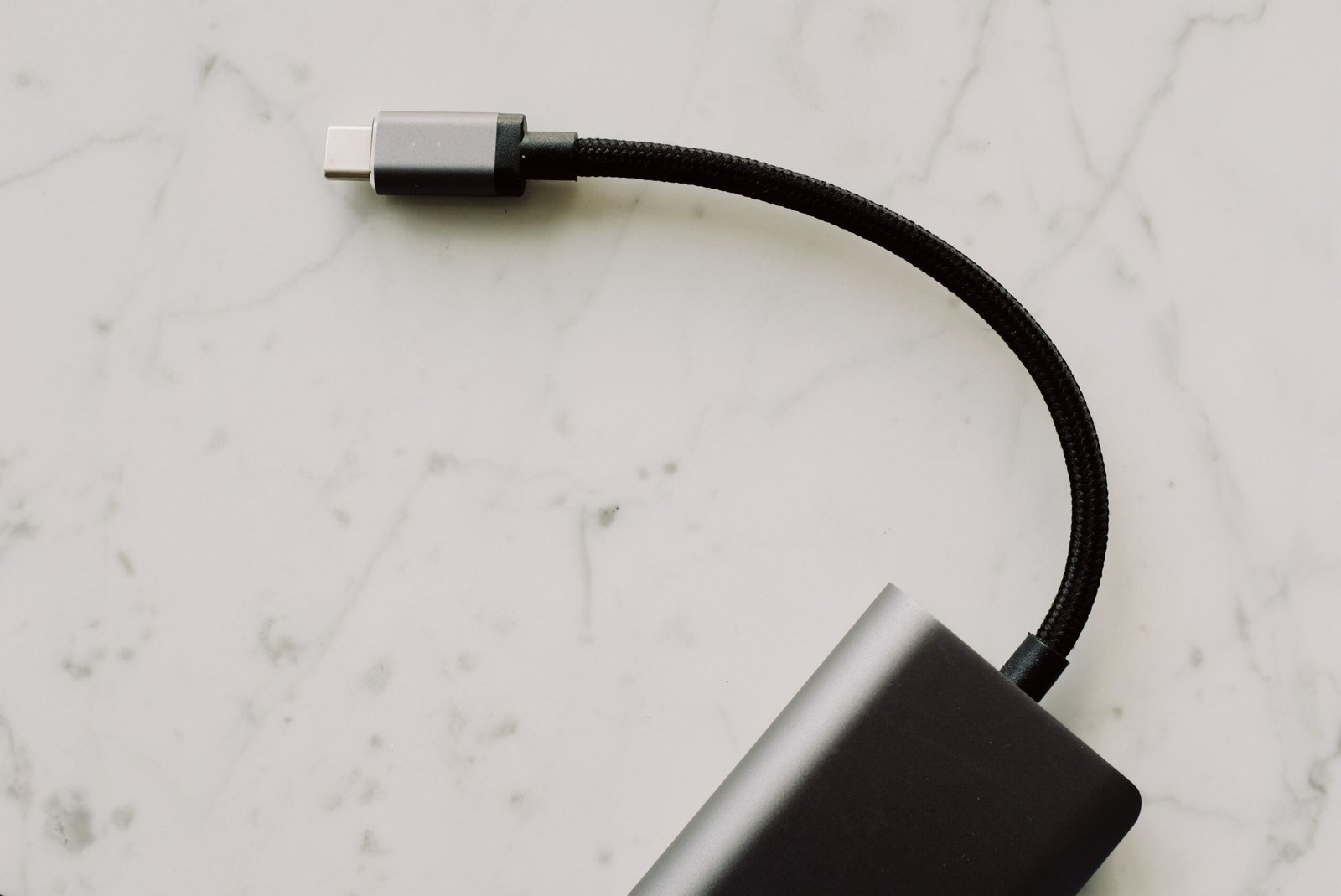
Laptops with USB C charger support have become increasingly popular because USB-C can make charging more convenient, reduce the number of cables users need to carry, and work with a wide range of modern accessories. Instead of relying exclusively on a traditional barrel-style charging connector, many newer laptops can receive power through a USB-C port using USB Power Delivery, commonly called USB PD. This can be particularly useful for students, professionals, travelers, remote workers, and anyone who regularly carries a laptop between different locations. However, not every USB-C port supports charging, and not every USB-C charger is powerful enough for every laptop, so understanding the difference between USB-C connectivity and USB-C charging is important before purchasing a computer or replacement charger.
When searching for laptops with USB C charger support, buyers should look beyond the appearance of the port. Two laptops may both have USB-C connectors while offering very different charging capabilities. One model might support charging through USB-C at a relatively high power level, while another may use its USB-C port only for data transfer, display output, or connecting peripherals. The laptop’s specifications, supported charging standards, required wattage, and the capabilities of the charger all matter. This guide explains how USB-C laptop charging works, what features to consider, how to determine compatibility, and why USB-C charging has become an important feature in modern laptops.
What Are Laptops With USB C Charger Support?
Laptops with USB C charger support are computers that can receive electrical power through a USB-C connection rather than requiring a dedicated proprietary charging connector. USB-C is a physical connector standard that has become common across laptops, phones, tablets, monitors, docks, external storage devices, and other electronics. Its small reversible design makes it easy to connect, while the underlying USB and power-delivery technologies allow manufacturers to support considerably more functionality than older USB connectors.
The important distinction is that having a USB-C port does not automatically mean a laptop can charge through that port. USB-C describes the connector shape, while charging capability depends on how the manufacturer has implemented the port and which power standards the computer supports. A laptop designed for USB-C charging may use USB Power Delivery to negotiate an appropriate amount of power from a compatible charger. Depending on the model, USB-C may also support data transfer, external displays, docking stations, and other accessories through the same connector. This combination of functions is one reason USB-C charging laptops are attractive to people who want a simpler and more flexible setup.
How USB-C Laptop Charging Works
USB-C laptop charging generally relies on communication between the laptop and charger to determine how much electrical power can safely be delivered. With USB Power Delivery, compatible devices can negotiate a suitable power level instead of simply receiving an arbitrary amount of electricity. The laptop’s charging system and the charger therefore work together to establish an appropriate power arrangement. This makes it possible for a single USB-C charger to support multiple devices, although the charger’s available power must still be sufficient for the particular laptop.
For example, a compact USB-C charger that works well for a smartphone may not provide enough power for a performance-oriented laptop. A lightweight laptop with a relatively efficient processor may have modest charging requirements, whereas a larger computer with a powerful processor or dedicated graphics hardware can require substantially more power. If the charger cannot provide enough power, the laptop may charge slowly, charge only while it is sleeping or lightly used, or display a warning that the connected power source is insufficient. For this reason, users searching for a USB-C charger for laptop use should check the laptop manufacturer’s recommended charger specifications rather than assuming that every USB-C power adapter will work equally well.
Why Choose Laptops With USB-C Charging?
One of the biggest advantages of laptops with USB-C charging is convenience. A USB-C charger can potentially serve several devices, reducing the number of separate adapters required when traveling. Someone carrying a laptop, tablet, smartphone, headphones, and other USB-C devices may be able to use a compatible multi-port charger for several of them. This can make a travel bag lighter and reduce cable clutter on a desk.
Another advantage is flexibility. USB-C ports can often perform several functions in addition to charging, depending on the laptop. A suitable port may connect the computer to an external monitor, USB hub, docking station, storage device, or other peripheral. When a laptop supports charging, display output, and data transfer through compatible USB-C connections, the port can become an important part of the computer’s overall connectivity system. This is particularly useful for people who move between a mobile setup and a larger desk-based workstation.
USB-C charging can also make replacing a charger easier in some situations. Traditional laptop chargers can be highly specific to a particular manufacturer or product family, while USB-C Power Delivery has created a broader ecosystem of compatible chargers. Compatibility still needs to be checked carefully, but users may have more options when selecting a replacement or travel charger for a USB-C-compatible laptop.
What Is USB Power Delivery?
USB Power Delivery, commonly abbreviated as USB PD, is a power-management technology that allows compatible devices and chargers to negotiate power requirements. It is particularly important for USB-C laptop charging because laptops can require significantly more power than smaller USB devices. Instead of treating every USB connection as having the same charging capability, USB PD provides a standardized way for supported equipment to communicate about available and required power.
The exact capabilities depend on the laptop, charger, cable, and implementation of the relevant USB standards. Buyers should therefore look at the specifications of the complete charging system rather than focusing only on the USB-C connector. A charger may have a USB-C output but lack the power capability required by a particular laptop. Likewise, a cable may have limitations depending on its specifications. Choosing components that meet or exceed the laptop’s requirements helps ensure reliable charging.
How to Check Whether a Laptop Charges Through USB-C
The easiest way to determine whether a laptop supports USB-C charging is to check the manufacturer’s official specifications or user manual. Product specifications may explicitly state that the computer supports charging through USB-C, USB Power Delivery, or a particular USB-C port. Some laptops also display a charging symbol or power-related icon beside the relevant USB-C connector, although markings vary between manufacturers.
It is also useful to check the technical specifications for terms such as “USB-C Power Delivery,” “USB-C charging,” or “power input.” If the documentation lists USB-C only under data transfer or display connectivity, users should not automatically assume that the port can charge the laptop. When purchasing a new computer, confirming this feature before buying is much safer than relying on photographs of the ports.
Laptops That Charge With USB-C Versus Laptops With USB-C Ports
This distinction is one of the most important things to understand when shopping for laptops with USB C charger support. A laptop can have one or more USB-C ports without allowing those ports to receive power. Manufacturers may include USB-C for high-speed data, external displays, docking accessories, or other functions while continuing to use a separate connector for charging.
A laptop that genuinely supports USB-C charging will normally identify the capability in its specifications. Depending on the model, USB-C charging may be available through one particular port or through multiple ports. Some computers may support USB-C charging while also retaining a traditional charging connector. Others may rely almost entirely on USB-C for power. Understanding this difference can prevent buyers from purchasing a laptop that does not meet their intended charging setup.
Choosing the Right USB-C Charger for a Laptop
When choosing a USB-C charger for a laptop, the first consideration should be the laptop’s required power level. The original charger, manufacturer’s documentation, or official technical specifications can provide useful information. A replacement charger should be capable of delivering the power the laptop is designed to accept. Using a charger with a lower output does not necessarily mean the computer will fail immediately, but it may result in slow charging, limited performance while plugged in, or an inability to charge during demanding workloads.
The number of ports on the charger is another consideration. A single-port charger may dedicate its available output to the laptop, while a multi-port charger can power several devices simultaneously. However, multi-port chargers often divide their total available power among connected devices. Someone using a laptop and smartphone simultaneously should therefore check the charger’s power distribution specifications rather than looking only at its maximum advertised output.
Size and portability can also matter. Compact USB-C chargers are particularly useful for travelers and students because they can reduce the amount of space occupied by charging equipment. Larger chargers may provide greater power and additional ports, making them more suitable for desktop workstations. The right option depends on the laptop’s requirements and the user’s charging habits.
Why Charger Wattage Matters
Wattage is an important specification when comparing USB-C laptop chargers. In simple terms, wattage represents the rate at which electrical power can be delivered. A laptop designed around a higher power requirement may need a more capable charger than a basic portable computer. The charger should therefore provide sufficient supported power for the laptop’s charging system.
However, a charger having a higher maximum wattage does not automatically mean that it will force the laptop to consume that entire amount. Compatible USB Power Delivery systems negotiate an appropriate power level. The important point is that the charger should support the power requirements and charging protocols expected by the laptop. Users should follow the laptop manufacturer’s specifications when in doubt.
USB-C Charging for Travel
For frequent travelers, laptops with USB C charger support can offer a practical advantage. Carrying one capable USB-C charger can potentially reduce the need for several dedicated adapters, especially when other personal devices also use USB-C. This can make it easier to organize a backpack or carry-on bag and can simplify charging in airports, hotels, offices, and other locations.
Travelers should still pay attention to the charger and cable specifications. A very small charger may be convenient but could lack sufficient output for a demanding laptop. Similarly, a cable should be appropriate for the required charging and data capabilities. Building a compact travel setup around compatible equipment can provide the convenience associated with USB-C without sacrificing reliable laptop charging.
USB-C Charging and External Monitors
One of the appealing features of modern USB-C laptops is the ability to combine charging and connectivity through compatible docking equipment. Depending on the laptop and port specifications, a USB-C connection may carry power, data, and display signals. This can allow a user to connect a laptop to a compatible monitor or docking station while maintaining power.
However, these capabilities are not universal across all USB-C ports. Display output may require a particular USB-C feature or alternate mode, while charging requires compatible power delivery. Buyers who want a one-cable desk setup should verify that their laptop, monitor, dock, cable, and charger all support the required functions. Checking each component’s specifications is more reliable than assuming that any USB-C connection can perform every task.
Advantages of Laptops With USB-C Charging
There are several reasons consumers look for laptops with USB C charger support. Convenience is perhaps the most obvious advantage because USB-C charging can reduce dependence on specialized laptop adapters. Compatibility with a broader ecosystem of USB-C accessories can also be useful, particularly for people who already use USB-C devices.
Portability is another advantage. A suitable USB-C charger can be relatively compact, and a multi-device charging setup can reduce the number of adapters carried during travel. USB-C can also support multiple types of connectivity on compatible systems, making it possible to create flexible setups involving monitors, docks, storage devices, and other peripherals.
USB-C charging can also be useful for people who work in several locations. A student might use the same charger at home, in a classroom, and in a library, while a professional might move between an office, home workspace, and travel environment. Having a standardized charging ecosystem can make these transitions simpler.
Potential Limitations of USB-C Laptop Charging
USB-C charging is not without limitations. The biggest potential source of confusion is compatibility. USB-C is a connector standard rather than a guarantee that every port has identical capabilities. Two USB-C ports can look exactly the same while supporting different power, data, and display functions.
Another limitation is that some laptops require more power than compact USB-C chargers can provide. A small charger designed primarily for phones and tablets may not be suitable for a high-performance laptop. Users should also consider charging behavior during demanding workloads because a computer that consumes significant power may require a sufficiently capable adapter to charge efficiently while being used.
Cable compatibility can also matter. Not every USB-C cable is designed for every possible USB-C capability. Depending on the application, users may need a cable rated for the desired power level, data speed, or display functionality. Checking the specifications of the cable can therefore be just as important as checking the charger.
Who Should Consider a USB-C Charging Laptop?
USB-C charging laptops can be especially appealing to students, professionals, travelers, remote workers, and people who prefer a minimal technology setup. Students who already use USB-C phones or tablets may appreciate being able to consolidate chargers. Travelers can benefit from carrying fewer charging accessories, while professionals may find USB-C useful when connecting a laptop to a modern docking station or monitor.
They can also be a good fit for people who frequently work from multiple locations. A consistent USB-C charging system can make it easier to establish charging stations at home, work, or in a travel bag. However, buyers should still consider the laptop’s other features, including processor performance, battery life, display quality, memory, storage, weight, connectivity, and operating system.
What to Look for When Buying a Laptop With USB-C Charging
When comparing laptops with USB C charger support, begin by confirming that the laptop actually supports charging through USB-C. Next, determine the power requirements and whether the included charger meets those requirements. It is also worth checking whether the USB-C port supports other features you need, such as high-speed data transfer, external displays, or docking.
Battery capacity and charging behavior are also important. USB-C charging is useful, but it does not replace the need for a good battery and efficient hardware. A laptop with excellent USB-C support but poor battery life may not provide the mobile experience a buyer expects. Weight, screen size, keyboard quality, performance, storage, memory, and overall build quality should be considered alongside charging technology.
Frequently Asked Questions
Can all laptops charge through USB-C?
No. The presence of a USB-C port does not automatically mean that a laptop supports USB-C charging. The manufacturer must implement charging capability through that port. Always check the laptop’s official specifications or manual before purchasing a USB-C charger.
Can I use a phone USB-C charger to charge my laptop?
It depends on the charger and the laptop. A phone charger may technically use the same USB-C connector but may not provide enough power for a laptop. If its power output is below the laptop’s requirements, charging may be slow or unavailable while the computer is being used.
Do laptops with USB-C charging need a special cable?
A compatible USB-C cable is required, and the appropriate cable depends on the laptop’s charging and connectivity requirements. For higher-power charging or high-speed data and display applications, users should select a cable with specifications that support those requirements.
Is USB-C charging better than a traditional laptop charger?
USB-C charging offers advantages in convenience and compatibility, but whether it is preferable depends on the laptop and the user’s needs. USB-C can simplify charging and reduce the number of different adapters required, while some laptops still use dedicated connectors for their primary power input.
Can I charge my laptop with a USB-C power bank?
Some USB-C power banks can charge compatible laptops, provided that the power bank supports the required USB Power Delivery profile and provides sufficient output. The laptop’s power requirements and the power bank’s specifications should be compared before relying on a power bank for laptop charging.
Can USB-C charge a laptop while it is being used?
Yes, if the laptop and charger support the necessary power requirements. A sufficiently powerful charger can provide power while the computer is operating. If the charger is underpowered relative to the laptop’s needs, charging may be slow or the battery may continue to drain during demanding tasks.
Does every USB-C port on a laptop support charging?
No. Some laptops have multiple USB-C ports with different capabilities. One port may support charging while another may primarily provide data or display functionality. The manufacturer’s specifications should identify which ports support power input.
Are USB-C laptops good for travel?
They can be particularly convenient for travel because a suitable USB-C charger may also work with other USB-C devices. A compact compatible charger can reduce the number of adapters in a travel bag, although users should ensure that the charger provides enough power for the laptop.
Conclusion
Laptops with USB C charger support provide a convenient approach to modern laptop charging, particularly for people who value portability, simplified accessories, and compatibility with a broader USB-C ecosystem. USB-C can potentially combine charging, data transfer, display connectivity, and docking capabilities in a compact connector, making it an increasingly useful part of modern computer design. However, buyers should remember that the USB-C connector itself does not guarantee charging support. The laptop, charger, cable, and any connected accessories must support the required capabilities.
When choosing among laptops with USB-C charging, the most important steps are to verify USB-C power input, check the laptop’s required wattage, understand USB Power Delivery support, and confirm which USB-C ports provide charging. Buyers should also consider battery life, performance, display quality, portability, storage, memory, and overall usability. By checking these specifications carefully, users can choose a laptop and charging setup that fits their everyday needs while taking advantage of the convenience offered by modern USB-C technology.


 Tech4 months ago
Kinervus: Everything You Need to Know About the Emerging Concept in Rehabilitation, Technology, and Digital Innovation
- Fashion4 months ago
Carey Salley: The Private Life Behind a Hollywood Connection
- Lifestyle4 months ago
Danielle Vangar: The Private Woman Behind a Publicly Known Name
- Tech4 months ago
ReadMyManga com: Features, Safety, Legal Risks, and Everything You Need to Know in 2026
- Entertainment4 months ago
Pele Velentina: The Rise of a New Musical Artist and Daughter of Lisa Kennedy Montgomery
- Tech4 months ago
Tanya Flynn: A Comprehensive Guide to the Multi-Faceted Professional
- Tech4 months ago
Bilieter : The Complete Guide to Meaning, Uses, Features, and Why It Is Gaining Attention
- Entertainment4 months ago
Natalie Oglesby Skalla: The Untold Story of Frank Sinatra’s Granddaughter Who Chose Service Over Spotlight (2026 Biography)