
Blog
Crochet Dragon Pattern: A Complete Guide to Making a Magical Dragon


A crochet dragon pattern is a fun and creative project for anyone who enjoys making handmade toys, fantasy creatures, and amigurumi designs. Dragons are especially appealing because they allow crocheters to experiment with colors, textures, shapes, wings, horns, tails, spikes, and other decorative details that can turn a simple crochet project into a unique character. Whether you are an experienced crocheter searching for a challenging fantasy project or a beginner who wants to learn how to make a crochet dragon, there are many ways to approach the design. A dragon can be made as a small keychain-sized creature, a soft toy for a child, a decorative figure for a bedroom or craft collection, or a larger fantasy-inspired character. The most enjoyable part of working with a crochet dragon pattern is that the basic structure can be customized extensively, allowing you to create everything from a tiny friendly dragon to a dramatic mythical creature with large wings and colorful scales.
What Is a Crochet Dragon Pattern?
A crochet dragon pattern is a set of written instructions that explains how to crochet the different components of a dragon and assemble them into a finished character. Most dragon patterns are created using amigurumi techniques, which generally involve crocheting tightly worked shapes with yarn and filling them with stuffing to create a three-dimensional toy. A typical pattern may include separate instructions for the head, body, legs, arms, wings, horns, tail, spikes, and facial features. Depending on the complexity of the design, the pieces may be crocheted separately and sewn together, or some portions may be worked continuously to reduce the amount of assembly required. Understanding how the pieces fit together is important because the proportions of a dragon strongly influence its final appearance. A larger head can create a cute cartoon-style dragon, while a longer body, extended tail, and larger wings can give the project a more traditional fantasy appearance.
Why Crochet Dragons Are So Popular
Crochet dragons have become popular among crafters because they combine the relaxing nature of crochet with the imaginative world of fantasy creatures. Unlike basic scarves or blankets, a dragon gives you an opportunity to create a recognizable character with personality and expression. Even a relatively simple amigurumi dragon pattern can produce a charming result when the crocheter chooses interesting colors and carefully positions the eyes, horns, wings, and other details. Dragons also make excellent handmade gifts because they can be personalized according to the recipient’s favorite colors and interests. A green dragon with golden accents can have a completely different personality from a purple dragon with silver wings, even when both designs use essentially the same basic pattern. This flexibility makes crochet dragons appealing to both beginners and experienced crafters who enjoy modifying existing patterns.
Choosing the Right Crochet Dragon Pattern
Choosing the right crochet dragon pattern depends largely on your skill level, the amount of time you want to spend on the project, and the appearance you want to achieve. Beginners should generally look for a design that uses basic stitches and has relatively few small pieces to assemble. A simple dragon with a rounded body, short legs, a basic tail, and small wings can be an excellent introduction to amigurumi. More experienced crocheters may prefer a detailed design featuring articulated limbs, textured scales, complex wings, multiple horns, decorative spikes, and color changes. It is also useful to check whether a pattern explains abbreviations and provides information about yarn weight, hook size, stuffing, safety eyes, and assembly. A well-organized pattern can make a complicated project considerably easier because you can work through each section systematically rather than trying to determine how the individual pieces should be constructed.
Materials You May Need
The materials required for a crochet dragon for beginners project are usually straightforward, although the exact requirements depend on the particular design. You will generally need yarn in one or more colors, a crochet hook appropriate for the yarn, polyester fiberfill or another suitable stuffing material, a yarn needle, scissors, stitch markers, and some form of eyes. Safety eyes are commonly used for amigurumi, while embroidered eyes are another option and can be preferable for projects intended for very young children. You may also want contrasting yarn for the belly, horns, claws, wings, or facial details. Choosing a yarn with good stitch definition can make small dragon features easier to see, while a softer yarn can produce a cuddly finished toy. Before beginning, it is worth gathering all the materials together because small components such as stitch markers and a yarn needle become particularly useful when working on a detailed character.
Basic Crochet Skills for a Dragon Project
A crochet dragon tutorial will often use several basic stitches and techniques that are common in amigurumi. Beginners may encounter the magic ring, single crochet, increases, decreases, slip stitches, chain stitches, and techniques for fastening off and hiding yarn ends. The magic ring is particularly useful because it creates a tightly closed starting point for circular pieces such as heads, bodies, and feet. Increases allow the crocheter to expand a round, while decreases reduce the number of stitches and create curved or tapered shapes. These techniques work together to form the three-dimensional structure of an amigurumi dragon. If you are new to crochet, it is a good idea to practice these stitches on a small sample before beginning the main project. Working confidently with increases and decreases will make it much easier to follow a detailed pattern and maintain the correct shape throughout the project.
How to Crochet a Dragon Step by Step
When learning how to crochet a dragon, it helps to divide the project into manageable sections rather than thinking about the finished creature all at once. Begin by reviewing the entire pattern and identifying the major components, then gather the required yarn and tools. Many designs begin with the body or head because these pieces establish the overall scale of the dragon. After completing the main sections, you can work on smaller components such as legs, arms, wings, horns, ears, spikes, and the tail. Keep track of your rounds carefully, particularly when working in continuous rounds, because losing your place can alter the shape of the finished piece. Once the components are complete, stuff the larger pieces gradually rather than adding all of the filling at once. Even distribution produces a smoother shape and prevents unwanted lumps. Finally, attach the individual parts securely and add facial details and decorative features to give your dragon its personality.
Creating the Dragon’s Head
The head is one of the most important parts of a crochet dragon pattern because it determines much of the character’s personality. A rounded head with large eyes can create a cute and friendly dragon, while a longer snout and prominent horns can produce a more traditional fantasy appearance. When crocheting the head, pay close attention to the placement of increases and decreases because these changes determine whether the shape remains round, becomes elongated, or tapers toward the muzzle. Stuffing also affects the final result, so add it gradually and check the shape as you work. If your pattern includes a separate muzzle, cheeks, horns, or ears, these pieces should be positioned carefully before being sewn into place. Small changes in the location of facial features can make a surprisingly large difference to the final expression.
Making Wings, Horns, and Spikes
The decorative features are what often transform a basic amigurumi creature into a recognizable dragon. Wings can be made using simple crocheted shapes, textured panels, or more elaborate constructions depending on the pattern. Horns can be short and rounded for a cute dragon or long and pointed for a more dramatic fantasy creature. Spikes may be added along the head, back, and tail to create a stronger mythical appearance. When selecting a free crochet dragon pattern, check whether the instructions include these decorative pieces because they can require different techniques from the main body. If the pattern does not include the exact features you want, you can often experiment with small triangular, cone-shaped, or leaf-like crochet pieces and attach them along the dragon’s back. This is one of the best ways to turn a basic pattern into a personalized design.
Choosing Colors for a Cute Crochet Dragon
Color selection is an important part of designing a cute crochet dragon. Traditional dragon colors such as green, red, brown, and gray can create a classic fantasy appearance, but there is no requirement to follow traditional color schemes. Pastel pink, lavender, blue, mint, yellow, or even rainbow combinations can produce playful and modern characters. You can also use contrasting colors for the belly, horns, wings, claws, and spikes to make individual features stand out. If you are making a dragon as a gift, consider using colors associated with the recipient’s favorite character, sports team, room decor, or personal preferences. Even when following an existing pattern exactly, changing the colors can make the finished dragon look substantially different and give it a unique identity.
Tips for Working With Amigurumi
Working with an amigurumi dragon pattern requires slightly different habits from crocheting a loose garment or blanket. Amigurumi is usually worked tightly so that the stuffing does not show through the stitches. This means you may need to use a smaller hook than you would normally choose for the same yarn. Keep your tension consistent throughout the project because uneven tension can cause some sections to appear larger or smaller than intended. It is also important to count stitches carefully, especially after increases and decreases. Stitch markers can be extremely helpful when working in continuous rounds because they show where each round begins. When stuffing the dragon, avoid packing the filling so tightly that the stitches stretch apart. The goal is to create a firm but flexible shape with a smooth surface.
How to Assemble Your Crochet Dragon
Assembly is often the stage where separate crocheted pieces finally become a recognizable dragon. Before sewing anything permanently, place the head, legs, arms, wings, and tail against the body to determine the best positions. This is particularly important for designs with symmetrical features because attaching one part too high or too low can make the finished character look uneven. Use pins or removable markers to hold pieces temporarily while you check the proportions. Sew the pieces securely using a yarn needle and matching yarn whenever possible. For wings and other features that may be handled frequently, reinforce the attachment points rather than relying on only a few stitches. Once the major pieces are attached, you can add the smaller details such as horns, spikes, nostrils, claws, eyebrows, or embroidered facial features.
Free Crochet Dragon Pattern Ideas
People searching for a free crochet dragon pattern often want to practice the techniques before investing in a more advanced design. Free patterns can be excellent learning resources, particularly when they include clear stitch instructions, photographs, diagrams, or assembly guidance. However, the quality and complexity of free patterns can vary considerably, so it is important to read through the instructions before starting. Look for patterns that clearly identify yarn requirements, hook sizes, stitch abbreviations, finished dimensions, and the order in which components should be assembled. A free pattern does not necessarily mean that the project will be quick or easy; some free dragon designs are highly detailed and can require considerable experience. Choose a pattern that matches your current abilities so the project remains enjoyable rather than frustrating.
Common Mistakes When Crocheting Dragons
One of the most common mistakes when following a crochet dragon pattern is losing track of stitch counts. A single missed increase or decrease can gradually change the shape of an entire piece, so checking your stitch count at the end of each round can save time later. Another frequent problem is inconsistent stuffing, which can result in a lumpy head or body. Stuffing should be added in small amounts and distributed evenly as you progress. Crocheters can also run into difficulties during assembly when they attach pieces without first checking their placement. Taking a few minutes to arrange all the components before sewing them permanently can make a major difference. Finally, avoid rushing the finishing stage. Details such as facial embroidery, wing placement, horns, and spikes may seem small, but they have a major effect on the overall appearance of the finished dragon.
How to Customize a Crochet Dragon Pattern
One of the greatest advantages of making a crochet dragon pattern is the opportunity to customize it. Once you understand the basic structure, you can experiment with different yarn colors, body proportions, wing shapes, facial expressions, horns, tails, and decorative textures. You might make a tiny dragon with oversized eyes for a cute style, or create a long-bodied dragon with large wings for a more traditional fantasy look. You can also combine techniques from different crochet projects, such as using textured stitches for scales or adding embroidered details to create facial expressions. Keep notes whenever you make modifications so you can reproduce a successful design later. With practice, these small experiments can help you develop the confidence to design your own crochet creatures rather than relying exclusively on existing patterns.
How Long Does a Crochet Dragon Take to Make?
The amount of time required to complete a dragon varies significantly depending on the size and complexity of the design. A small and simple dragon may be completed relatively quickly, while a large dragon with extensive wings, multiple spikes, detailed colorwork, and numerous individual pieces can require many hours of work. Beginners may also need additional time because they are learning the stitches and techniques while completing the project. Instead of rushing to finish, consider the project an opportunity to practice your crochet skills. Breaking the work into smaller sessions can make a complicated crochet dragon tutorial much easier to manage. You can complete the head and body during one session, work on the limbs during another, and reserve a separate session for assembly and finishing details.
Using Crochet Dragons as Gifts
A handmade dragon can be an excellent gift because it combines creativity, personalization, and the time invested by the maker. A cute crochet dragon can be given for birthdays, holidays, celebrations, or simply as a thoughtful handmade surprise. You can personalize the project by choosing colors that match the recipient’s interests or by creating a dragon inspired by their favorite fantasy themes. Smaller dragons can also be used as desk decorations, shelf ornaments, bag charms, or collectibles. When making a dragon as a gift, consider how it will be used and choose materials accordingly. If the recipient is a young child, secure all components carefully and consider embroidered features instead of detachable small pieces.
Final Thoughts on Crochet Dragon Patterns
A crochet dragon pattern offers an enjoyable way to combine traditional crochet skills with imagination and character design. From a simple beginner-friendly amigurumi project to an elaborate fantasy creature covered in wings, horns, spikes, and colorful details, there is a dragon style for almost every skill level. The key to a successful project is choosing a pattern that matches your experience, understanding the basic techniques, maintaining consistent tension, counting stitches carefully, and taking your time during assembly. Once you become comfortable with the basic structure, you can experiment with colors and proportions to create dragons that are completely your own. Whether you are crocheting for yourself, making a handmade gift, or simply looking for a creative new project, a crochet dragon can be both a rewarding craft and a wonderful way to develop your amigurumi skills.
Conclusion
Learning to make a crochet dragon can be a rewarding project for both new and experienced crocheters. The combination of basic crochet techniques, three-dimensional shaping, imaginative colors, and decorative details makes dragons particularly versatile handmade creations. Starting with a suitable crochet dragon pattern allows you to understand how the head, body, limbs, wings, tail, and other features work together, while later experimentation gives you the freedom to develop your own designs. Whether you choose an easy crochet dragon pattern, a free pattern for practice, or a highly detailed amigurumi design, patience and careful stitch counting will help you achieve a polished result. Most importantly, do not be afraid to customize your dragon. Handmade crochet is about creativity, and even small changes can turn a familiar pattern into a character that feels entirely unique.
Frequently Asked Questions
What is the easiest crochet dragon pattern for beginners?
The easiest crochet dragon pattern for beginners is generally one that uses basic single crochet stitches, simple increases and decreases, and a limited number of separate pieces. A small rounded dragon with a basic tail, short legs, and simple wings is usually easier than a large design with complex shaping and extensive colorwork. Beginners should choose a pattern that explains abbreviations and provides clear assembly instructions.
How much yarn do I need for a crochet dragon?
The amount of yarn depends on the size of the dragon, the yarn weight, the hook size, and the pattern’s construction. A small amigurumi dragon may require relatively little yarn, while a large decorative dragon can use considerably more. It is always a good idea to have a little extra yarn available, especially if you plan to add contrasting details or make modifications.
Can beginners make an amigurumi dragon?
Yes. Beginners can make an amigurumi dragon if they start with a simple design and become comfortable with the basic techniques first. Single crochet, magic rings, increases, decreases, stuffing, and sewing are among the most useful skills to practice. Starting with a small project can make the process much less overwhelming.
What yarn is best for a crochet dragon?
Smooth yarn with clear stitch definition is often a good choice for amigurumi dragons because it makes the stitches and shaping easy to see. Cotton or cotton-blend yarns are commonly suitable, although other yarn types can also work depending on the desired texture and appearance. The important consideration is that the yarn and hook combination should create sufficiently tight stitches for the stuffing to remain contained.
How can I make my crochet dragon look more realistic?
To create a more realistic dragon, focus on proportions, texture, and detailed features. You can experiment with larger wings, elongated tails, textured scales, prominent horns, claws, and carefully placed color changes. Embroidered details and layered crochet pieces can also add depth. The more attention you give to the anatomy and surface details, the more distinctive your finished dragon will appear.
Can I customize a crochet dragon pattern?
Absolutely. Changing the colors, proportions, facial features, wing shape, horns, tail, and decorative elements can create a completely different character. Once you understand the basic construction, customization becomes an excellent way to develop your crochet design skills.
Is a free crochet dragon pattern good for learning?
A free crochet dragon pattern can be an excellent learning resource, particularly if the instructions are clear and the project matches your skill level. Before beginning, read through the entire pattern and make sure you understand the abbreviations, materials, stitch counts, and assembly process. This can help prevent surprises halfway through the project.

Raúl Domingo has attracted increasing public interest because of his work in film production and his long-standing relationship with actor and filmmaker Colman Domingo. Although he generally maintains a lower public profile than his husband, Raúl Domingo has developed an impressive career of his own that connects theater, fashion, media, filmmaking, visual art, and television production. His professional journey has taken him from regional and Off-Broadway theater into the luxury fashion industry, media development, digital entrepreneurship, and eventually film production. Today, he is best known as a producer and as the co-founder and president of Edith Productions, the production company he established with Colman Domingo. According to the company’s official biography, Raúl has produced projects including Sing Sing, It’s What’s Inside, New Moon, Bottomless Brunch at Colman’s, and You Are Here.
Interest in Raúl Domingo has also grown because audiences increasingly want to know more about the person behind several notable entertainment projects associated with Colman Domingo. However, describing him simply as Colman Domingo’s husband does not tell the full story. Raúl has an independent professional identity as a producer, writer, director, creative executive, and visual artist. His career demonstrates how experience in different creative industries can eventually lead to film and television production, while his partnership with Colman Domingo has also created opportunities to develop original stories through Edith Productions. This article explores Raúl Domingo’s background, career, relationship with Colman Domingo, production work, creative interests, and public profile.
Who Is Raúl Domingo?
Raúl Domingo is an American creative professional and film producer whose career has crossed several different areas of the entertainment and business worlds. He is the co-founder and president of Edith Productions, where he works alongside Colman Domingo to develop and produce film, television, theater, and animation projects. Edith Productions describes Raúl as someone with an extensive background in both the arts and corporate worlds, highlighting his earlier work in theater, luxury apparel, media, and digital business before his move more deeply into filmmaking.
Raúl Domingo is particularly notable because his professional background is broader than that of a traditional film producer. Before concentrating on filmmaking, he worked in regional and Off-Broadway theater and later held positions connected with major luxury fashion companies including Lanvin and Max Mara Group. He subsequently worked with Hearst Media International, where he creatively spearheaded the development of a business venture, before launching his own digital media company. This combination of artistic and commercial experience has become an important part of his professional identity and helps explain his interest in developing projects across different forms of media.
Raúl Domingo’s Early Career and Background
One of the most interesting aspects of Raúl Domingo’s biography is the variety of industries he experienced before becoming established as a film producer. His professional journey began in theater, where he created work in regional productions and Off-Broadway environments. Theater provided an early foundation for storytelling, performance, collaboration, and creative development, all of which later became valuable in his filmmaking career. Rather than following a conventional straight line into Hollywood, Raúl developed experience across multiple creative fields before ultimately moving toward film and television.
His career then expanded into luxury fashion, where he worked with well-known companies including Lanvin and Max Mara Group. Working in fashion exposed him to a highly visual industry that depends heavily on branding, design, presentation, and creative direction. He later moved into the media sector through Hearst Media International, where he became involved in developing a new business venture. According to his official Edith Productions biography, this period eventually led him toward launching his own digital media company.
This mixture of theater, fashion, media, and entrepreneurship makes Raúl Domingo’s career particularly distinctive. His path illustrates how creative careers can evolve through several industries rather than following one fixed professional route. The combination of business knowledge and artistic experience also became useful when he later began producing films and other entertainment projects.
Raúl Domingo and Filmmaking
After working in theater, fashion, and media, Raúl Domingo increasingly focused his attention on filmmaking. He studied in the Director’s Program at the Austin School of Film, an important step in moving from a broader creative background toward film production and directing. After completing the program, he began collaborating with Colman Domingo and eventually co-founded Edith Productions.
The move into filmmaking allowed Raúl to combine many of the skills he had developed throughout his earlier career. Producing requires organizational ability, business judgment, creative development, communication, and an understanding of how an artistic idea can be transformed into a finished project. His earlier work in business and media therefore became complementary to his artistic experience.
Raúl has also worked behind the camera as a writer and director. One notable project is New Moon, an animated short that he co-wrote and co-directed with Colman Domingo. The official Edith Productions biography identifies the film as an Academy Award-shortlisted project from 2023, while IMDb lists Raúl as a producer and credits him with writing and directing work associated with the project.
Raúl Domingo and Edith Productions
Edith Productions represents one of the most important parts of Raúl Domingo’s modern career. The company was co-founded by Raúl Domingo and Colman Domingo, and Raúl serves as its president and producer. The company develops a wide range of projects, including film, television, theater, and animation. Its official website describes Raúl as responsible for overseeing Edith’s projects and developing different kinds of content for the company’s production banner.
The company has helped give Raúl a platform where his varied professional experience can come together. His knowledge of media, business, visual storytelling, and filmmaking can be applied to projects at different stages, from development through production. This is also significant because Edith Productions is not presented simply as a vehicle for Colman Domingo’s acting career; it is a broader creative company focused on developing original entertainment.
Raúl Domingo and Sing Sing
One of Raúl Domingo’s most significant producing credits is Sing Sing, the acclaimed film directed by Greg Kwedar. Raúl produced the film, while Colman Domingo starred in it and was also involved through Edith Productions. The film received three Academy Award nominations, including a nomination for Colman Domingo for Best Actor. Edith Productions identifies Raúl as a producer of the film and highlights its three Academy Award nominations.
Sing Sing was particularly important because it combined serious dramatic storytelling with a production approach centered on real human experiences. Raúl’s involvement demonstrates his ability to work on ambitious feature films rather than limiting his career to smaller or short-form projects. The production also represents the kind of storytelling partnership that has become central to Edith Productions.
Raúl Domingo and It’s What’s Inside
Another important title associated with Raúl Domingo is It’s What’s Inside, the genre-bending thriller written and directed by Greg Jardin. Netflix’s Tudum identifies Raúl Domingo as one of the film’s producers, alongside William Rosenfeld, Kate Andrews, and Jason Baum. Colman Domingo served as an executive producer.
The film premiered at Sundance in 2024 before Netflix acquired worldwide rights. Its story revolves around a pre-wedding reunion that becomes increasingly chaotic after the arrival of a mysterious suitcase and a body-swapping game. Netflix describes the project as a highly unconventional thriller, while Raúl’s involvement as a producer demonstrates his interest in distinctive and original filmmaking rather than relying solely on conventional genres.
The project also illustrates the collaborative nature of Raúl and Colman Domingo’s professional relationship. Their work together allows them to support filmmakers with unusual ideas while using Edith Productions as a platform for bringing those ideas to wider audiences.
Raúl Domingo and New Moon
New Moon is another important project in Raúl Domingo’s creative career. The animated short was co-written and co-directed by Raúl and Colman Domingo and was shortlisted for an Academy Award. This project is significant because it shows that Raúl’s involvement in entertainment is not limited to producing projects created by other filmmakers. He has also taken a direct creative role in writing and directing.
The project demonstrates the range of Edith Productions and the creative partnership between Raúl and Colman. Moving into animation also shows an interest in storytelling formats beyond traditional live-action film and television.
Raúl Domingo’s Television Production Work
Raúl Domingo has also worked extensively in television production. Edith Productions credits him with producing four seasons of Bottomless Brunch at Colman’s and the first season of You Are Here for AMC Networks. These projects demonstrate that his production career extends beyond feature films and includes television programming as well.
His television work is another example of how his career has developed across different media. From theater to fashion, corporate media, digital ventures, film, animation, and television, Raúl has consistently moved between creative and commercial environments. This breadth is one of the strongest defining features of his professional biography.
Raúl Domingo and Colman Domingo
Raúl Domingo is widely recognized publicly as the husband of Colman Domingo. The couple met in 2005 and married in 2014, according to publicly available biographical sources. Their relationship has received attention because of their long partnership and because they have also developed a creative working relationship through Edith Productions.
Their story has occasionally been discussed in entertainment media, including reports about how they first met and how their relationship developed over the years. Raúl generally maintains a more private public profile than Colman, so much of the available information about him naturally focuses on his professional work and his partnership with Colman. Town & Country has described Raúl as maintaining a relatively low profile while also highlighting his diverse career background and work as a producer.
Their professional partnership is especially notable because both individuals bring different strengths to their production company. Colman brings extensive experience as an actor, writer, director, and producer, while Raúl brings a background that combines theater, business, media, visual arts, and production. Together, they have developed projects that span film, television, theater, and animation.
Raúl Domingo’s Work as a Visual Artist
Film production is not Raúl Domingo’s only creative interest. Edith Productions states that he is also an accomplished artist specializing in oils. This detail adds another dimension to his creative background and reflects his long-standing connection to visual storytelling.
His interest in painting fits naturally with his broader career, which has repeatedly crossed the boundaries between different visual and performing arts. Theater, fashion, filmmaking, and painting all depend on composition, atmosphere, presentation, and creative interpretation, even though they use different methods to communicate with audiences.
Why Is Raúl Domingo Famous?
There are several reasons people search for Raúl Domingo online. The first is his relationship with Colman Domingo, a highly recognized actor whose career includes major film, television, and theater roles. The second is Raúl’s own career as a producer and creative professional. He has produced projects such as Sing Sing and It’s What’s Inside, worked on New Moon, and produced television projects through Edith Productions.
Another reason for growing interest is that Raúl’s career does not fit into a single category. Someone searching for Raúl Domingo might encounter references to a producer, filmmaker, artist, media entrepreneur, or Colman Domingo’s husband. Understanding these different parts of his career provides a more complete picture of why his name appears increasingly often in entertainment coverage.
Raúl Domingo’s Public Profile and Privacy
Unlike many entertainment personalities, Raúl Domingo does not appear to seek constant attention in the public spotlight. His professional achievements are increasingly visible, but he has generally maintained a more private profile than his husband. This distinction is important when discussing his personal life because publicly available information about a person should not be expanded into speculation.
Most reliable information about Raúl focuses on his professional work, his role at Edith Productions, his collaborations with Colman Domingo, and his involvement in specific film and television projects. For readers researching Raúl Domingo, separating documented facts from rumors is particularly important because the name itself is shared by multiple people in different professions and countries.
Is Raúl Domingo the Same Person as Other People With That Name?
No. Raúl Domingo is not a unique name, and several people with the same or similar name appear in public records and professional databases. For example, Raúl Domingo Motta is an Argentine professor and researcher associated with humanities and social sciences, while other people named Raúl Domingo appear in Spanish professional directories.
The Raúl Domingo discussed in this article is the creative professional associated with Edith Productions and Colman Domingo. This distinction matters for searchers because combining information about different individuals could easily result in an inaccurate biography.
Raúl Domingo’s Career Legacy
Raúl Domingo’s career is notable for its evolution. He did not simply enter the entertainment industry and remain in one role. Instead, he moved through theater, luxury fashion, media, digital business, filmmaking, production, television, and visual art. Each stage contributed a different set of skills and experiences that eventually became part of his identity as a producer.
His work through Edith Productions also demonstrates the importance of creative partnerships in modern entertainment. Rather than being known exclusively because of his relationship with a famous actor, Raúl has established his own production credits and participated in projects that have received significant industry attention. His work on Sing Sing, It’s What’s Inside, and New Moon provides a documented foundation for understanding his contribution to film and television.
Conclusion
Raúl Domingo is much more than a name connected to a famous actor. He is a producer, creative professional, writer, director, visual artist, and media entrepreneur whose career has developed across several creative industries. His early experiences in theater, fashion, and media helped shape the professional path that eventually led him to filmmaking and the creation of Edith Productions with Colman Domingo. Through the company, he has contributed to films, television programs, animation, and other forms of entertainment.
His producing credits, including Sing Sing and It’s What’s Inside, demonstrate the growing importance of his work within contemporary entertainment, while New Moon highlights his involvement as a writer and director. At the same time, his long-term relationship and creative partnership with Colman Domingo have naturally made him a subject of public interest. For anyone searching for Raúl Domingo, the clearest picture is that of a multifaceted creative professional whose career has been built through collaboration, storytelling, entrepreneurship, and a willingness to work across different artistic fields.
Frequently Asked Questions About Raúl Domingo
Who is Raúl Domingo?
Raúl Domingo is a producer, creative professional, writer, director, and visual artist. He is the co-founder and president of Edith Productions and is also known publicly as the husband of actor Colman Domingo.
What does Raúl Domingo do?
Raúl Domingo works primarily in entertainment production. His credits include producing Sing Sing, It’s What’s Inside, New Moon, Bottomless Brunch at Colman’s, and You Are Here.
Who is Raúl Domingo married to?
Raúl Domingo is married to actor and filmmaker Colman Domingo. Public biographical sources state that they met in 2005 and married in 2014.
Is Raúl Domingo a film producer?
Yes. Raúl Domingo is a film producer and serves as president and producer at Edith Productions. His producing credits include Sing Sing and It’s What’s Inside.
What is Edith Productions?
Edith Productions is a production company co-founded by Raúl Domingo and Colman Domingo. The company develops film, television, theater, and animation projects.
Did Raúl Domingo work on Sing Sing?
Yes. Raúl Domingo produced Sing Sing, which received three Academy Award nominations.
Did Raúl Domingo produce It’s What’s Inside?
Yes. Raúl Domingo is credited as one of the producers of It’s What’s Inside, the Greg Jardin-directed film released on Netflix in 2024.
Did Raúl Domingo direct a movie?
Raúl Domingo co-wrote and co-directed the animated short New Moon with Colman Domingo. The project was shortlisted for an Academy Award.
What was Raúl Domingo’s career before filmmaking?
Before concentrating on filmmaking, Raúl Domingo worked in theater, luxury fashion, media, and digital business. His professional background included work connected with Lanvin, Max Mara Group, and Hearst Media International.
Is Raúl Domingo the same person as Raúl Domingo Motta?
No. Raúl Domingo Motta is a different person, an Argentine professor and researcher associated with humanities and social sciences.
Why is Raúl Domingo becoming more well known?
Interest in Raúl Domingo has increased because of his production work, his role at Edith Productions, his collaboration with Colman Domingo, and his involvement in notable projects such as Sing Sing and It’s What’s Inside. His professional identity has expanded beyond being known simply as Colman Domingo’s husband.

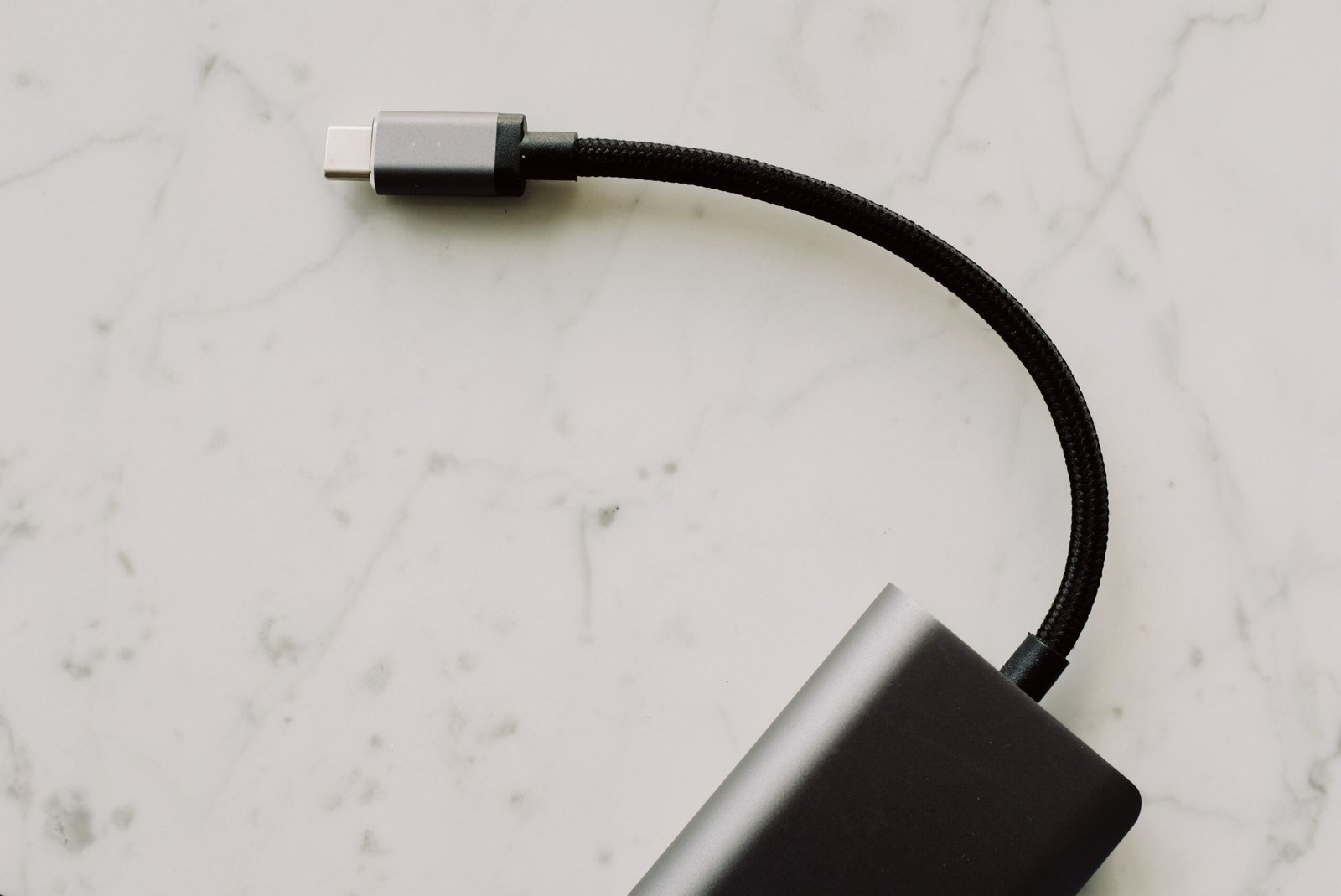
Laptops with USB C charger support have become increasingly popular because USB-C can make charging more convenient, reduce the number of cables users need to carry, and work with a wide range of modern accessories. Instead of relying exclusively on a traditional barrel-style charging connector, many newer laptops can receive power through a USB-C port using USB Power Delivery, commonly called USB PD. This can be particularly useful for students, professionals, travelers, remote workers, and anyone who regularly carries a laptop between different locations. However, not every USB-C port supports charging, and not every USB-C charger is powerful enough for every laptop, so understanding the difference between USB-C connectivity and USB-C charging is important before purchasing a computer or replacement charger.
When searching for laptops with USB C charger support, buyers should look beyond the appearance of the port. Two laptops may both have USB-C connectors while offering very different charging capabilities. One model might support charging through USB-C at a relatively high power level, while another may use its USB-C port only for data transfer, display output, or connecting peripherals. The laptop’s specifications, supported charging standards, required wattage, and the capabilities of the charger all matter. This guide explains how USB-C laptop charging works, what features to consider, how to determine compatibility, and why USB-C charging has become an important feature in modern laptops.
What Are Laptops With USB C Charger Support?
Laptops with USB C charger support are computers that can receive electrical power through a USB-C connection rather than requiring a dedicated proprietary charging connector. USB-C is a physical connector standard that has become common across laptops, phones, tablets, monitors, docks, external storage devices, and other electronics. Its small reversible design makes it easy to connect, while the underlying USB and power-delivery technologies allow manufacturers to support considerably more functionality than older USB connectors.
The important distinction is that having a USB-C port does not automatically mean a laptop can charge through that port. USB-C describes the connector shape, while charging capability depends on how the manufacturer has implemented the port and which power standards the computer supports. A laptop designed for USB-C charging may use USB Power Delivery to negotiate an appropriate amount of power from a compatible charger. Depending on the model, USB-C may also support data transfer, external displays, docking stations, and other accessories through the same connector. This combination of functions is one reason USB-C charging laptops are attractive to people who want a simpler and more flexible setup.
How USB-C Laptop Charging Works
USB-C laptop charging generally relies on communication between the laptop and charger to determine how much electrical power can safely be delivered. With USB Power Delivery, compatible devices can negotiate a suitable power level instead of simply receiving an arbitrary amount of electricity. The laptop’s charging system and the charger therefore work together to establish an appropriate power arrangement. This makes it possible for a single USB-C charger to support multiple devices, although the charger’s available power must still be sufficient for the particular laptop.
For example, a compact USB-C charger that works well for a smartphone may not provide enough power for a performance-oriented laptop. A lightweight laptop with a relatively efficient processor may have modest charging requirements, whereas a larger computer with a powerful processor or dedicated graphics hardware can require substantially more power. If the charger cannot provide enough power, the laptop may charge slowly, charge only while it is sleeping or lightly used, or display a warning that the connected power source is insufficient. For this reason, users searching for a USB-C charger for laptop use should check the laptop manufacturer’s recommended charger specifications rather than assuming that every USB-C power adapter will work equally well.
Why Choose Laptops With USB-C Charging?
One of the biggest advantages of laptops with USB-C charging is convenience. A USB-C charger can potentially serve several devices, reducing the number of separate adapters required when traveling. Someone carrying a laptop, tablet, smartphone, headphones, and other USB-C devices may be able to use a compatible multi-port charger for several of them. This can make a travel bag lighter and reduce cable clutter on a desk.
Another advantage is flexibility. USB-C ports can often perform several functions in addition to charging, depending on the laptop. A suitable port may connect the computer to an external monitor, USB hub, docking station, storage device, or other peripheral. When a laptop supports charging, display output, and data transfer through compatible USB-C connections, the port can become an important part of the computer’s overall connectivity system. This is particularly useful for people who move between a mobile setup and a larger desk-based workstation.
USB-C charging can also make replacing a charger easier in some situations. Traditional laptop chargers can be highly specific to a particular manufacturer or product family, while USB-C Power Delivery has created a broader ecosystem of compatible chargers. Compatibility still needs to be checked carefully, but users may have more options when selecting a replacement or travel charger for a USB-C-compatible laptop.
What Is USB Power Delivery?
USB Power Delivery, commonly abbreviated as USB PD, is a power-management technology that allows compatible devices and chargers to negotiate power requirements. It is particularly important for USB-C laptop charging because laptops can require significantly more power than smaller USB devices. Instead of treating every USB connection as having the same charging capability, USB PD provides a standardized way for supported equipment to communicate about available and required power.
The exact capabilities depend on the laptop, charger, cable, and implementation of the relevant USB standards. Buyers should therefore look at the specifications of the complete charging system rather than focusing only on the USB-C connector. A charger may have a USB-C output but lack the power capability required by a particular laptop. Likewise, a cable may have limitations depending on its specifications. Choosing components that meet or exceed the laptop’s requirements helps ensure reliable charging.
How to Check Whether a Laptop Charges Through USB-C
The easiest way to determine whether a laptop supports USB-C charging is to check the manufacturer’s official specifications or user manual. Product specifications may explicitly state that the computer supports charging through USB-C, USB Power Delivery, or a particular USB-C port. Some laptops also display a charging symbol or power-related icon beside the relevant USB-C connector, although markings vary between manufacturers.
It is also useful to check the technical specifications for terms such as “USB-C Power Delivery,” “USB-C charging,” or “power input.” If the documentation lists USB-C only under data transfer or display connectivity, users should not automatically assume that the port can charge the laptop. When purchasing a new computer, confirming this feature before buying is much safer than relying on photographs of the ports.
Laptops That Charge With USB-C Versus Laptops With USB-C Ports
This distinction is one of the most important things to understand when shopping for laptops with USB C charger support. A laptop can have one or more USB-C ports without allowing those ports to receive power. Manufacturers may include USB-C for high-speed data, external displays, docking accessories, or other functions while continuing to use a separate connector for charging.
A laptop that genuinely supports USB-C charging will normally identify the capability in its specifications. Depending on the model, USB-C charging may be available through one particular port or through multiple ports. Some computers may support USB-C charging while also retaining a traditional charging connector. Others may rely almost entirely on USB-C for power. Understanding this difference can prevent buyers from purchasing a laptop that does not meet their intended charging setup.
Choosing the Right USB-C Charger for a Laptop
When choosing a USB-C charger for a laptop, the first consideration should be the laptop’s required power level. The original charger, manufacturer’s documentation, or official technical specifications can provide useful information. A replacement charger should be capable of delivering the power the laptop is designed to accept. Using a charger with a lower output does not necessarily mean the computer will fail immediately, but it may result in slow charging, limited performance while plugged in, or an inability to charge during demanding workloads.
The number of ports on the charger is another consideration. A single-port charger may dedicate its available output to the laptop, while a multi-port charger can power several devices simultaneously. However, multi-port chargers often divide their total available power among connected devices. Someone using a laptop and smartphone simultaneously should therefore check the charger’s power distribution specifications rather than looking only at its maximum advertised output.
Size and portability can also matter. Compact USB-C chargers are particularly useful for travelers and students because they can reduce the amount of space occupied by charging equipment. Larger chargers may provide greater power and additional ports, making them more suitable for desktop workstations. The right option depends on the laptop’s requirements and the user’s charging habits.
Why Charger Wattage Matters
Wattage is an important specification when comparing USB-C laptop chargers. In simple terms, wattage represents the rate at which electrical power can be delivered. A laptop designed around a higher power requirement may need a more capable charger than a basic portable computer. The charger should therefore provide sufficient supported power for the laptop’s charging system.
However, a charger having a higher maximum wattage does not automatically mean that it will force the laptop to consume that entire amount. Compatible USB Power Delivery systems negotiate an appropriate power level. The important point is that the charger should support the power requirements and charging protocols expected by the laptop. Users should follow the laptop manufacturer’s specifications when in doubt.
USB-C Charging for Travel
For frequent travelers, laptops with USB C charger support can offer a practical advantage. Carrying one capable USB-C charger can potentially reduce the need for several dedicated adapters, especially when other personal devices also use USB-C. This can make it easier to organize a backpack or carry-on bag and can simplify charging in airports, hotels, offices, and other locations.
Travelers should still pay attention to the charger and cable specifications. A very small charger may be convenient but could lack sufficient output for a demanding laptop. Similarly, a cable should be appropriate for the required charging and data capabilities. Building a compact travel setup around compatible equipment can provide the convenience associated with USB-C without sacrificing reliable laptop charging.
USB-C Charging and External Monitors
One of the appealing features of modern USB-C laptops is the ability to combine charging and connectivity through compatible docking equipment. Depending on the laptop and port specifications, a USB-C connection may carry power, data, and display signals. This can allow a user to connect a laptop to a compatible monitor or docking station while maintaining power.
However, these capabilities are not universal across all USB-C ports. Display output may require a particular USB-C feature or alternate mode, while charging requires compatible power delivery. Buyers who want a one-cable desk setup should verify that their laptop, monitor, dock, cable, and charger all support the required functions. Checking each component’s specifications is more reliable than assuming that any USB-C connection can perform every task.
Advantages of Laptops With USB-C Charging
There are several reasons consumers look for laptops with USB C charger support. Convenience is perhaps the most obvious advantage because USB-C charging can reduce dependence on specialized laptop adapters. Compatibility with a broader ecosystem of USB-C accessories can also be useful, particularly for people who already use USB-C devices.
Portability is another advantage. A suitable USB-C charger can be relatively compact, and a multi-device charging setup can reduce the number of adapters carried during travel. USB-C can also support multiple types of connectivity on compatible systems, making it possible to create flexible setups involving monitors, docks, storage devices, and other peripherals.
USB-C charging can also be useful for people who work in several locations. A student might use the same charger at home, in a classroom, and in a library, while a professional might move between an office, home workspace, and travel environment. Having a standardized charging ecosystem can make these transitions simpler.
Potential Limitations of USB-C Laptop Charging
USB-C charging is not without limitations. The biggest potential source of confusion is compatibility. USB-C is a connector standard rather than a guarantee that every port has identical capabilities. Two USB-C ports can look exactly the same while supporting different power, data, and display functions.
Another limitation is that some laptops require more power than compact USB-C chargers can provide. A small charger designed primarily for phones and tablets may not be suitable for a high-performance laptop. Users should also consider charging behavior during demanding workloads because a computer that consumes significant power may require a sufficiently capable adapter to charge efficiently while being used.
Cable compatibility can also matter. Not every USB-C cable is designed for every possible USB-C capability. Depending on the application, users may need a cable rated for the desired power level, data speed, or display functionality. Checking the specifications of the cable can therefore be just as important as checking the charger.
Who Should Consider a USB-C Charging Laptop?
USB-C charging laptops can be especially appealing to students, professionals, travelers, remote workers, and people who prefer a minimal technology setup. Students who already use USB-C phones or tablets may appreciate being able to consolidate chargers. Travelers can benefit from carrying fewer charging accessories, while professionals may find USB-C useful when connecting a laptop to a modern docking station or monitor.
They can also be a good fit for people who frequently work from multiple locations. A consistent USB-C charging system can make it easier to establish charging stations at home, work, or in a travel bag. However, buyers should still consider the laptop’s other features, including processor performance, battery life, display quality, memory, storage, weight, connectivity, and operating system.
What to Look for When Buying a Laptop With USB-C Charging
When comparing laptops with USB C charger support, begin by confirming that the laptop actually supports charging through USB-C. Next, determine the power requirements and whether the included charger meets those requirements. It is also worth checking whether the USB-C port supports other features you need, such as high-speed data transfer, external displays, or docking.
Battery capacity and charging behavior are also important. USB-C charging is useful, but it does not replace the need for a good battery and efficient hardware. A laptop with excellent USB-C support but poor battery life may not provide the mobile experience a buyer expects. Weight, screen size, keyboard quality, performance, storage, memory, and overall build quality should be considered alongside charging technology.
Frequently Asked Questions
Can all laptops charge through USB-C?
No. The presence of a USB-C port does not automatically mean that a laptop supports USB-C charging. The manufacturer must implement charging capability through that port. Always check the laptop’s official specifications or manual before purchasing a USB-C charger.
Can I use a phone USB-C charger to charge my laptop?
It depends on the charger and the laptop. A phone charger may technically use the same USB-C connector but may not provide enough power for a laptop. If its power output is below the laptop’s requirements, charging may be slow or unavailable while the computer is being used.
Do laptops with USB-C charging need a special cable?
A compatible USB-C cable is required, and the appropriate cable depends on the laptop’s charging and connectivity requirements. For higher-power charging or high-speed data and display applications, users should select a cable with specifications that support those requirements.
Is USB-C charging better than a traditional laptop charger?
USB-C charging offers advantages in convenience and compatibility, but whether it is preferable depends on the laptop and the user’s needs. USB-C can simplify charging and reduce the number of different adapters required, while some laptops still use dedicated connectors for their primary power input.
Can I charge my laptop with a USB-C power bank?
Some USB-C power banks can charge compatible laptops, provided that the power bank supports the required USB Power Delivery profile and provides sufficient output. The laptop’s power requirements and the power bank’s specifications should be compared before relying on a power bank for laptop charging.
Can USB-C charge a laptop while it is being used?
Yes, if the laptop and charger support the necessary power requirements. A sufficiently powerful charger can provide power while the computer is operating. If the charger is underpowered relative to the laptop’s needs, charging may be slow or the battery may continue to drain during demanding tasks.
Does every USB-C port on a laptop support charging?
No. Some laptops have multiple USB-C ports with different capabilities. One port may support charging while another may primarily provide data or display functionality. The manufacturer’s specifications should identify which ports support power input.
Are USB-C laptops good for travel?
They can be particularly convenient for travel because a suitable USB-C charger may also work with other USB-C devices. A compact compatible charger can reduce the number of adapters in a travel bag, although users should ensure that the charger provides enough power for the laptop.
Conclusion
Laptops with USB C charger support provide a convenient approach to modern laptop charging, particularly for people who value portability, simplified accessories, and compatibility with a broader USB-C ecosystem. USB-C can potentially combine charging, data transfer, display connectivity, and docking capabilities in a compact connector, making it an increasingly useful part of modern computer design. However, buyers should remember that the USB-C connector itself does not guarantee charging support. The laptop, charger, cable, and any connected accessories must support the required capabilities.
When choosing among laptops with USB-C charging, the most important steps are to verify USB-C power input, check the laptop’s required wattage, understand USB Power Delivery support, and confirm which USB-C ports provide charging. Buyers should also consider battery life, performance, display quality, portability, storage, memory, and overall usability. By checking these specifications carefully, users can choose a laptop and charging setup that fits their everyday needs while taking advantage of the convenience offered by modern USB-C technology.


 Tech4 months ago
Kinervus: Everything You Need to Know About the Emerging Concept in Rehabilitation, Technology, and Digital Innovation
- Fashion4 months ago
Carey Salley: The Private Life Behind a Hollywood Connection
- Lifestyle4 months ago
Danielle Vangar: The Private Woman Behind a Publicly Known Name
- Tech4 months ago
ReadMyManga com: Features, Safety, Legal Risks, and Everything You Need to Know in 2026
- Entertainment4 months ago
Pele Velentina: The Rise of a New Musical Artist and Daughter of Lisa Kennedy Montgomery
- Tech4 months ago
Tanya Flynn: A Comprehensive Guide to the Multi-Faceted Professional
- Tech4 months ago
Bilieter : The Complete Guide to Meaning, Uses, Features, and Why It Is Gaining Attention
- Entertainment4 months ago
Natalie Oglesby Skalla: The Untold Story of Frank Sinatra’s Granddaughter Who Chose Service Over Spotlight (2026 Biography)